Apply For TOTO Enrolment Number Online 2026 [TOTO TTEN APPLY]
The West Bengal government starts taking e-rickshaw registration online through the TTEN-WB Portal. Any e-rickshaw (TOTO) owner or operator can easily register their vehicle online by filling out a form and uploading documents.
Using an Aadhar card and some necessary documents, anyone there on the road can apply for the legal e-rickshaw running license certificate. The government of West Bengal made e-rickshaw registration mandatory for everyone who operates an e-rickshaw (TOTO).
Apply For TOTO Enrolment Number Online 2026
The government launched a new website, TOTO TTEN, to take online applications for the TOTO enrollment number. After getting approval, the toto owner or operator gets the certificate and also a QR code that must be stuck on the e-rickshaw.
Here we provide the complete application forces of the toto enrollment number online; without going anywhere, anyone can do it from their home by using the following easy steps.
Go to the official website:
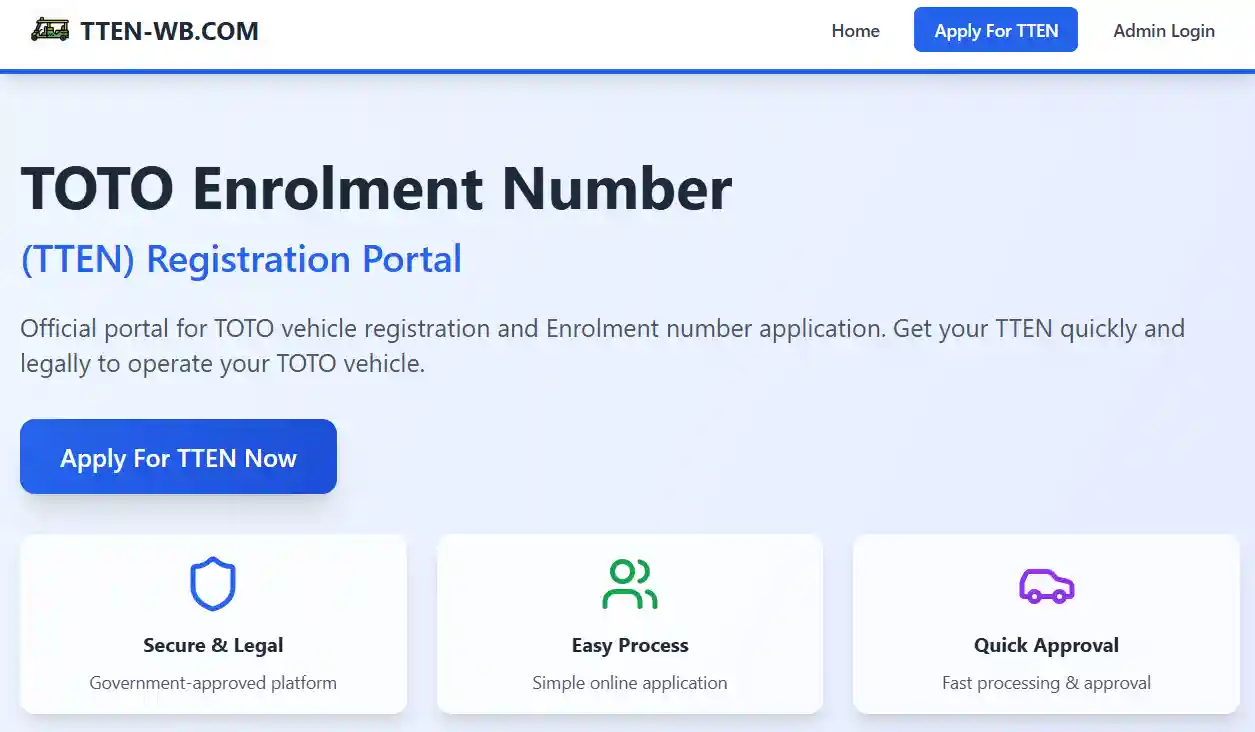
For the new application, visit the official portal of the TOTO enrollment number: TOTO TTEN REGISTRATION PORTAL.
Go to the apply page:
After visiting the official website, click on the “Apply For TTEN” button that will open the application page.
Login to the portal:
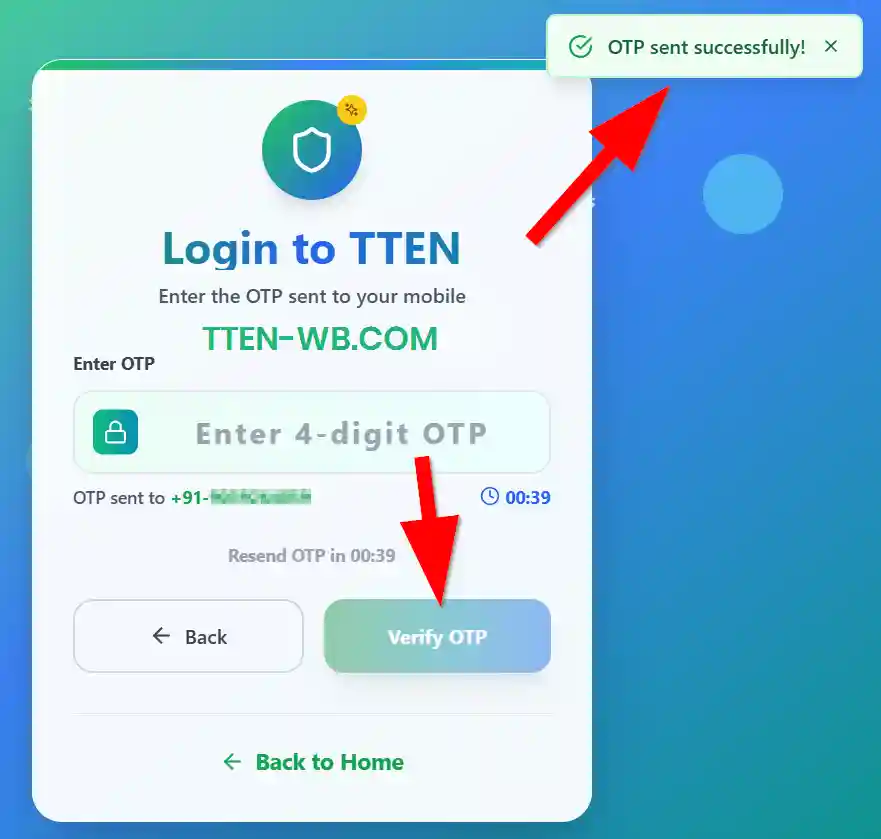
Using a mobile number, the owner or operator of the TOTO must log in to their account. Enter the mobile number and click on the “Get OTP” button. After receiving the OTP, enter the OTP and verify OTP by clicking on the “Verify OTP” button. After successful verification, you can log in to the portal.
Complete Aadhaar Verification:
The application form has six steps to complete, so you have to do them one by one. The first step is Aadhar verification; enter your 12-digit Aadhaar number and click on the "I agree" option. After that, click on the "Send OTP" button.
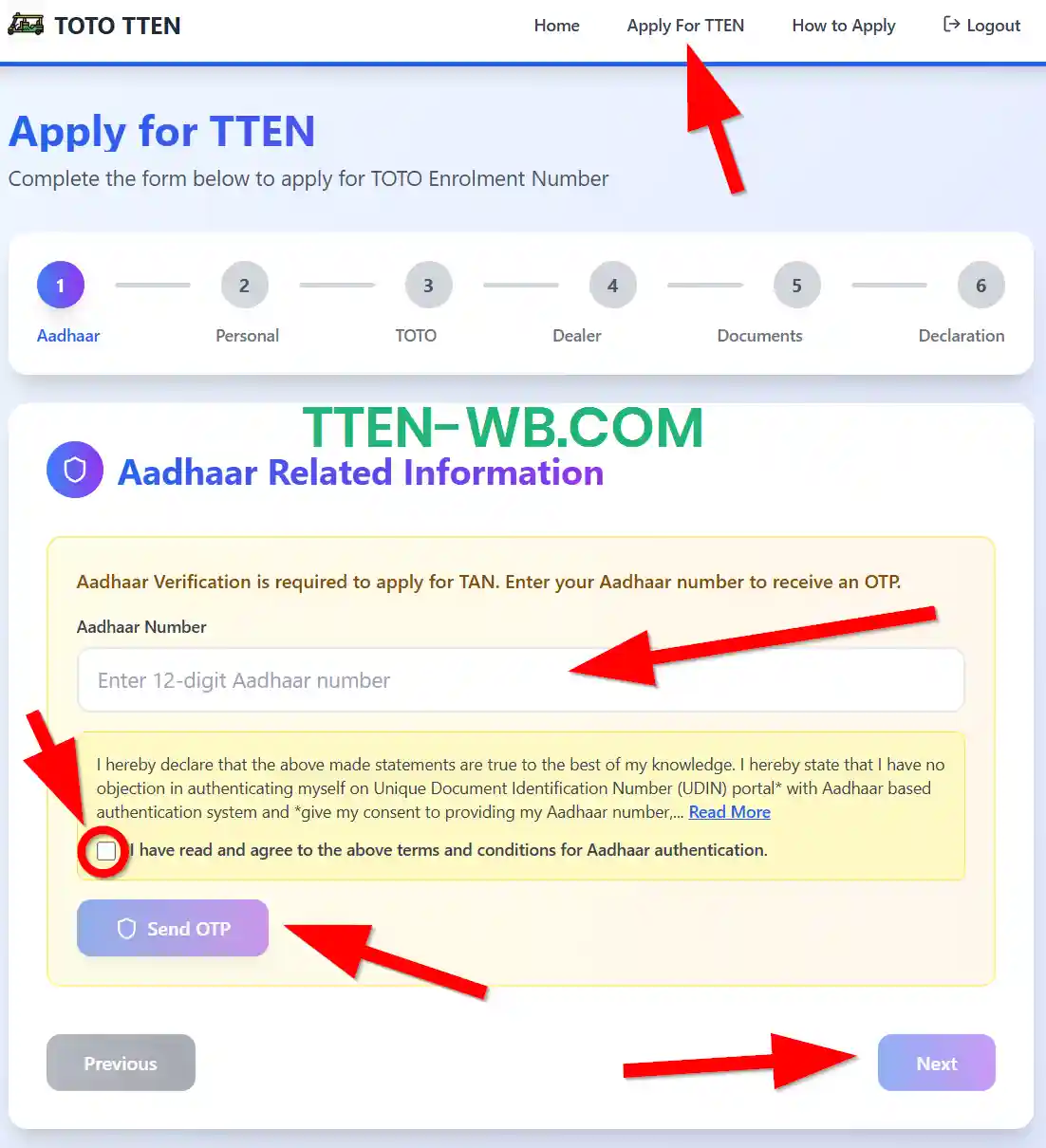
You have received an OTP to the registered mobile number that is linked with the Aadhaar card. Enter the OTP and click on the verify button. After successful verification, click on the “Next” button.
Personal Details:
Now you have to enter your personal details (owner or operator). On this page you have to fill in some of your personal details and bank information.
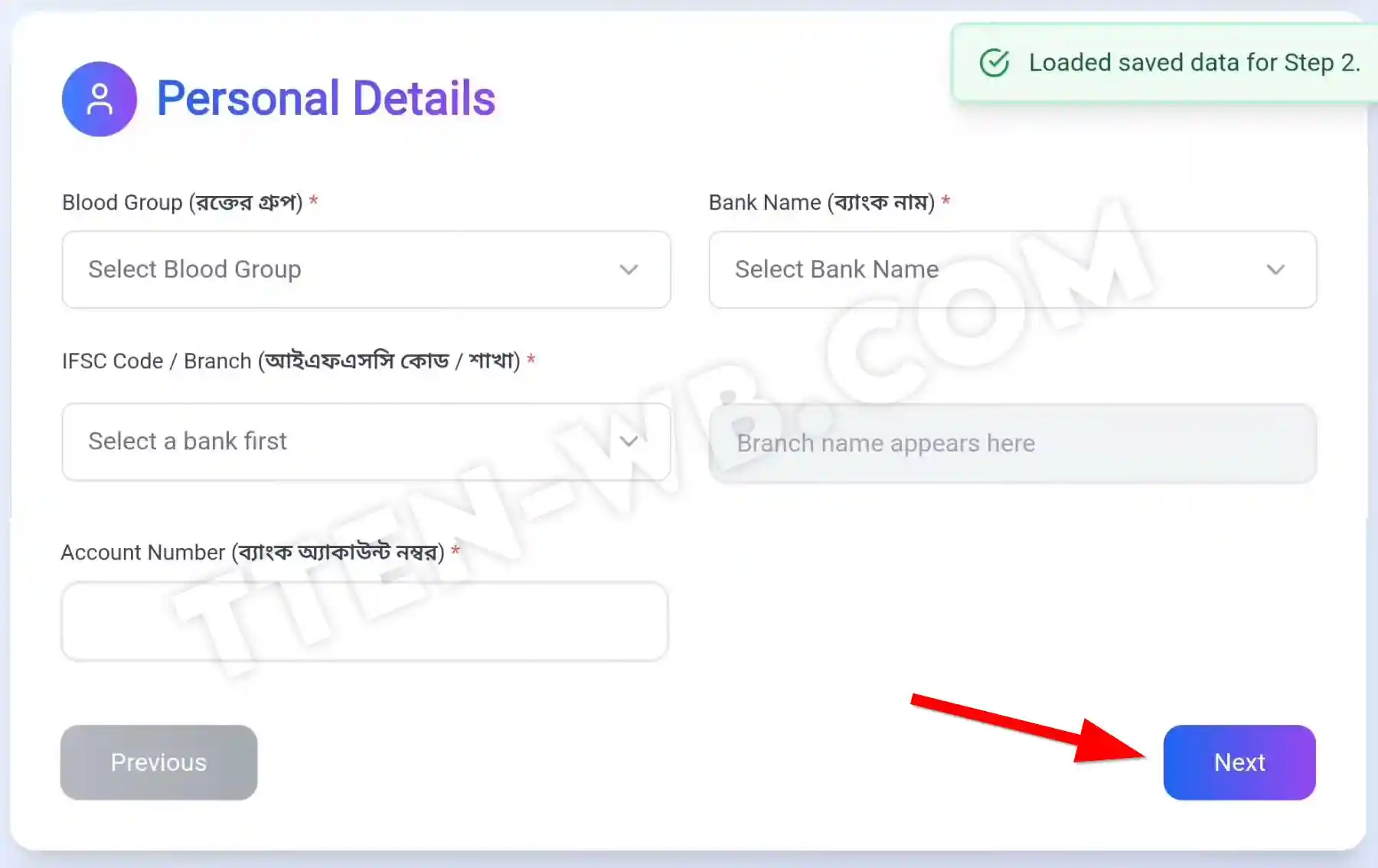
- Enter your blood group
- Select your bank name
- Select IFSC code or branch
- Enter your bank account number
After giving all the details, click on the “Next” button
TOTO Details:
Now you have to enter the details of TOTO vehicles and upload the photo of the TOTO (e-rickshaw). Here is the list of total details that you have to enter.
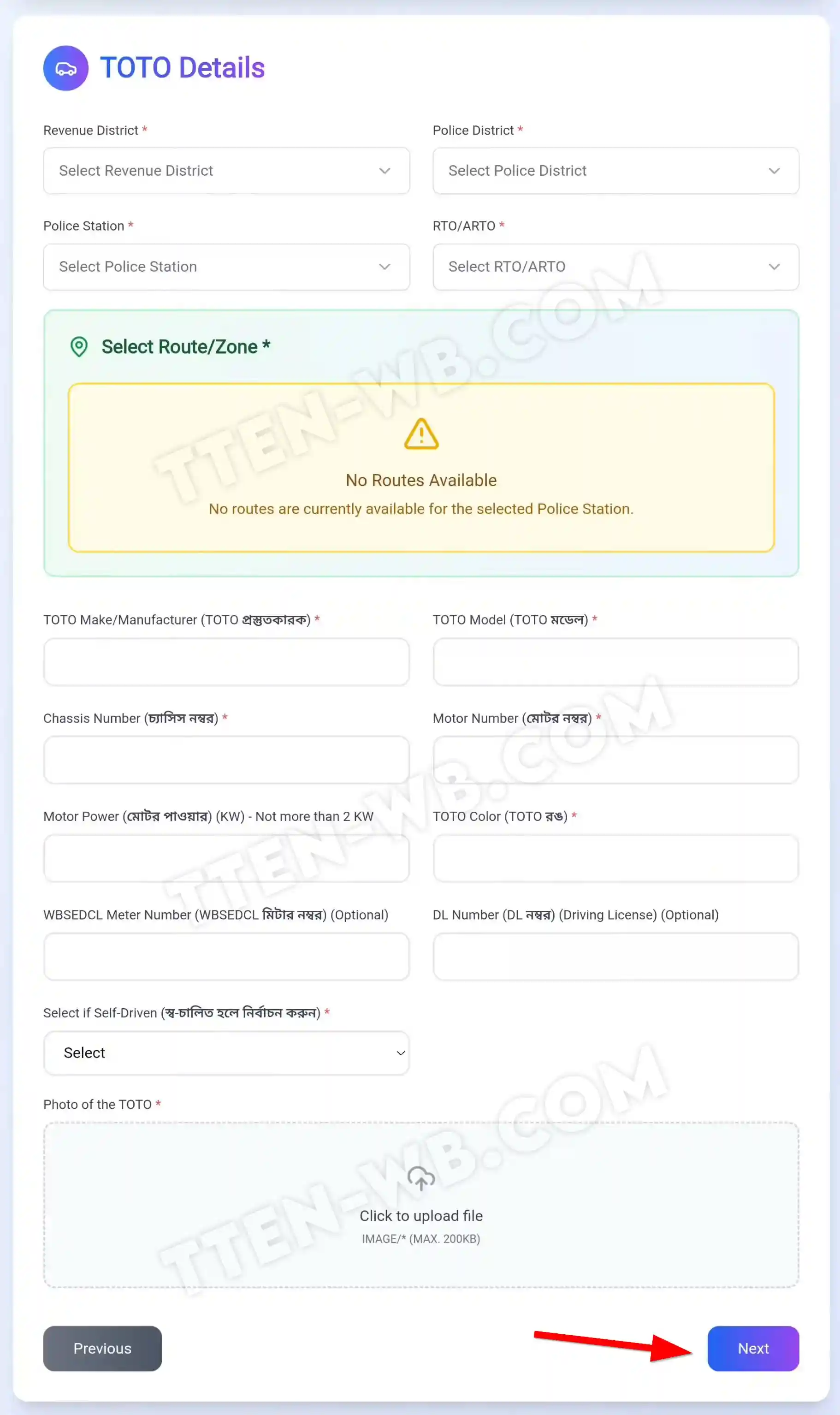
- Select your revenue district
- Select police district
- Select your police station
- Select RTO/ARTO (select route or zone; it will come along with the details you enter; you have to select anyone)
- Enter the detail of the TOTO maker or manufacturer
- Enter your toto model
- Chassis number of the vehicle
- Motor number
- Motor power in Kilowatt (KW) not more than 2 kilowatts (KW)
- TOTO vehicle colour
- WBSEDCL meter number (this is optional; you either enter or leave it blank)
- DL number (a DL number means driving license number; it is also optional so if you have one, then enter the number or you can leave it blank)
- Select if the vehicle is self-driving
- Upload the photo of the TOTO
After giving all the details carefully and uploading the photo, now you have to click the “Next” button.
Dealer Details:
Now you have to enter the dealer's information for where you purchased the e-rickshaw (TOTO); here you have to enter only two details.
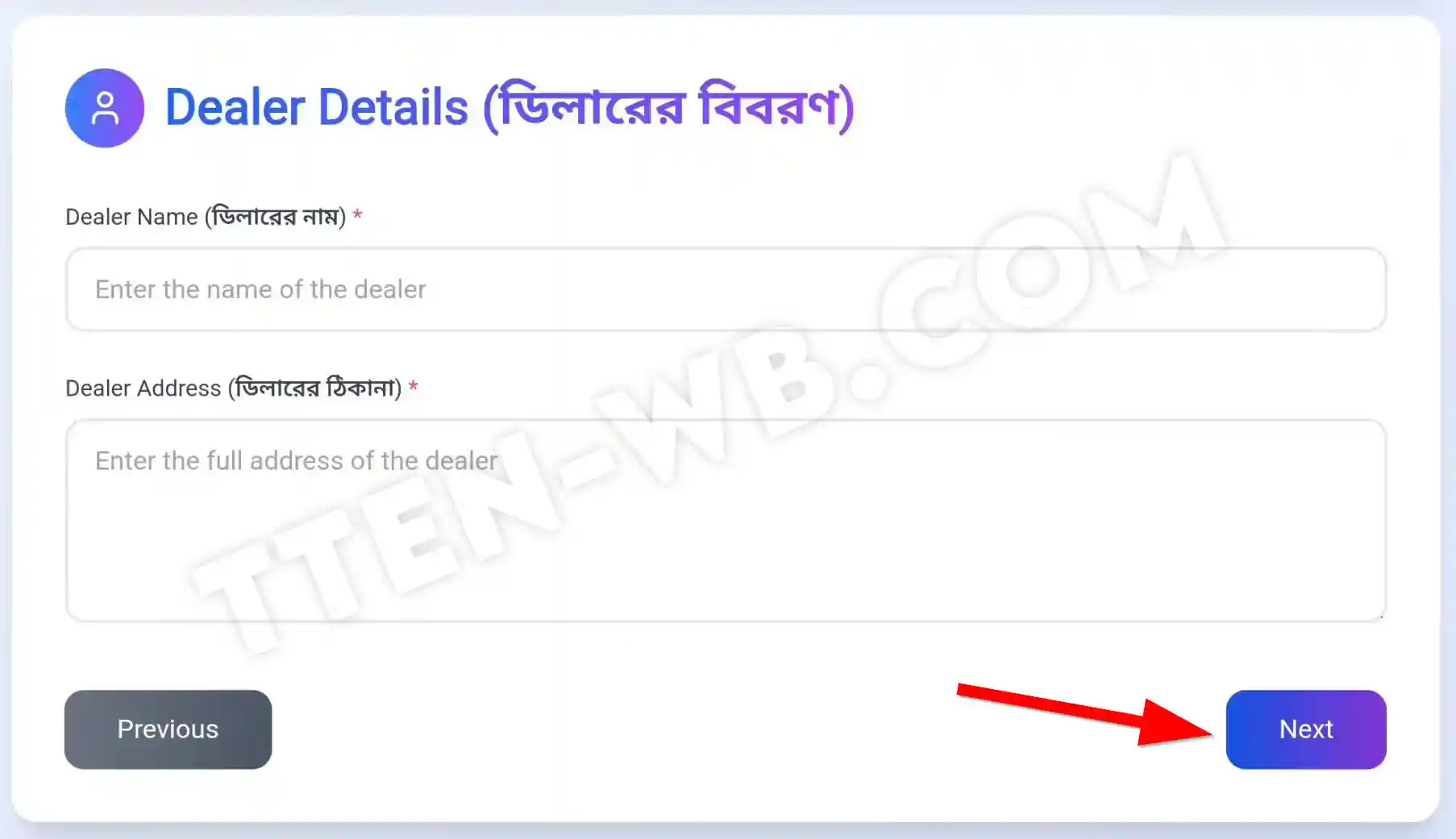
- Name of dealer
- Address of the dealer
After entering details, click on the “Next” button.
Reference Document Details:
Now you have to enter the different document details, like your vehicle invoice or self-declaration form. On the page you have seen 2 options: you have an invoice or not. If you have an invoice, then you have to upload the invoice, or if you do not have an invoice, then click on the download template of the self-declaration.
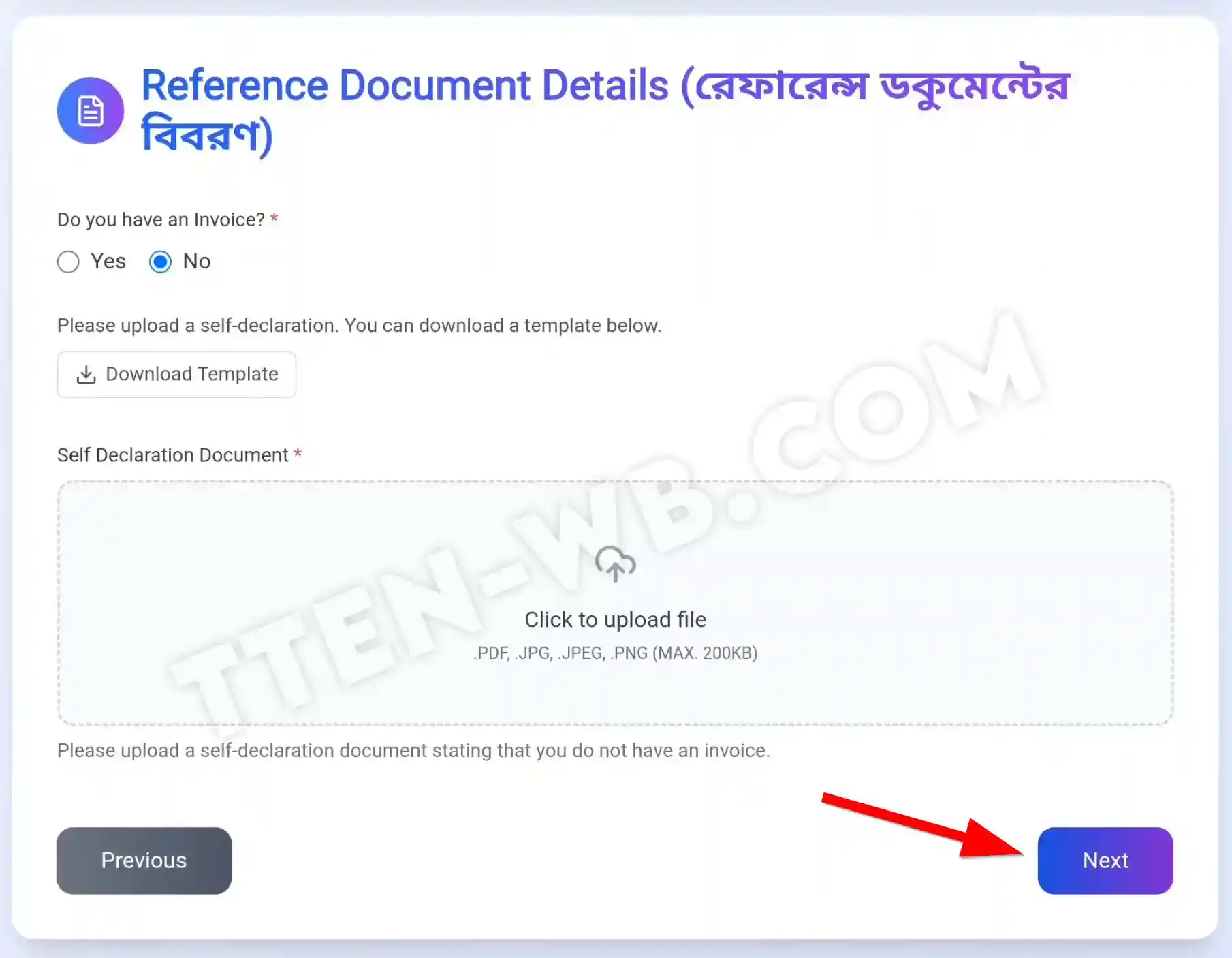
After downloading the template, print it out and fill out the self-declaration form along with the signature. After that, scan that self-declaration document and upload it here.
Remember, the upload file size must be 200 KB maximum, and the supported file formats are .pdf, .jpg, .jpeg, and .png. Please upload the document as a file and under the maximum size.
Now click on the “Next” button
Declaration and Consent:
On the page you can see the terms and conditions of the registration said by the government of West Bengal. In the section you also can see the fees and the fine that can be penalized when you break the rules and break the terms and conditions.
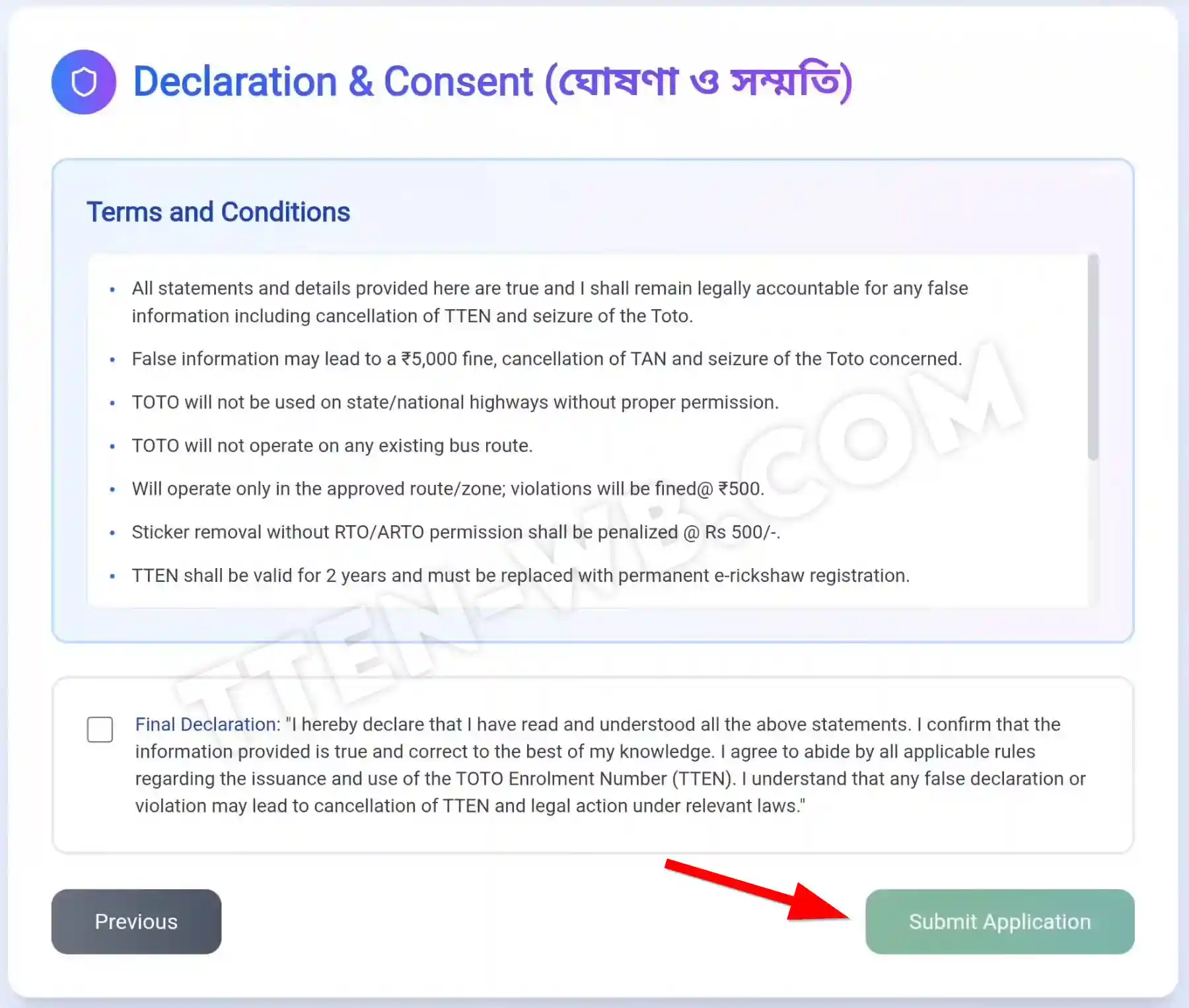
Click on the final declaration checkbox and submit your application by clicking on the “Submit Application” button. If you check the details that you enter before the steps, then click on the previous button, and you can check the details you have already filled out.
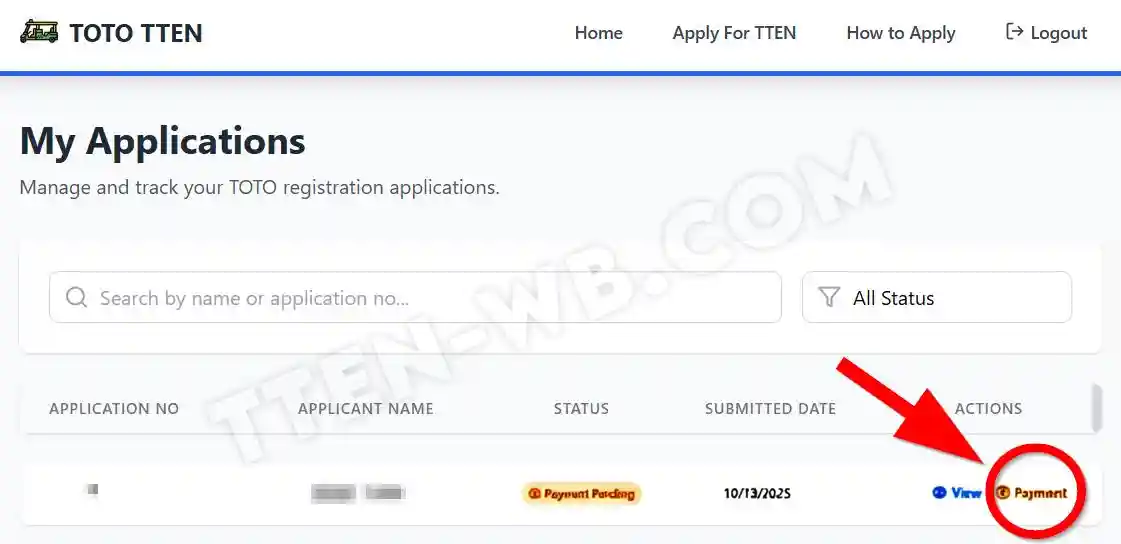
After successfully submitting your application, you will be directed to the “My Application Dashboard.” On this, my application has what you can see in your application details that shows the status pending.
Payment for Registration:
After submitting your application, you have to pay the fees that complete the registration process. On my application dashboard you can see the list of applications, and under the "Action section," click on the "Payment" option.
Now you have to pay your registration fees with the renewal On this payment page you can see the 2 options that give 1-year validity and more than 1-year validity; you can choose as your convenience.
After successful payment, your application will be going to the verification mode. Your application details with your application number will be sent to the given mobile number. The application number helps you to check the Status of TOTO Enrolment Number.
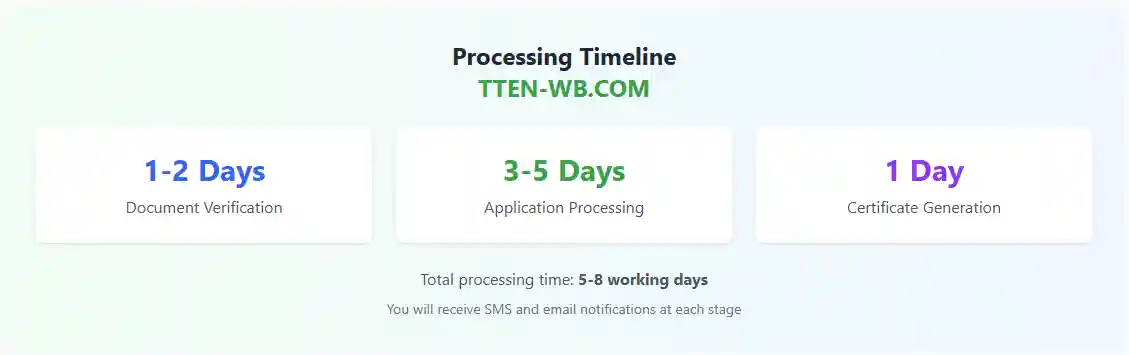
If the application is verified and approved by the government, then the certificate and the QR code will be generated. This certificate authorizes the TOTO operator to run their vehicles without worry. The application process can take 5-8 working days, and the certificate generation time can take 1 day.