Status of TOTO Enrolment Number 2026 [TTEN-WB STATUS CHECK]
After successfully registering your e-rickshaw, you can get your application or registration details directly to the mobile number that you gave when you started the application.
The TTEN WB total sends messages every step of the procedure time to time to that mobile number. you can also check the registration status online using the portal
Check Status of TOTO Enrolment Registration 2026
To track your TOTO registration application online, you have to follow some simple steps:
Go to the official website:
First of all, visit the official website of e-rickshaw registration in West Bengal: TOTO TTEN WB REGISTRATION PORTAL
Login to Account:
Now click on the login button and enter your registered mobile number (make sure this mobile number is used in an application).
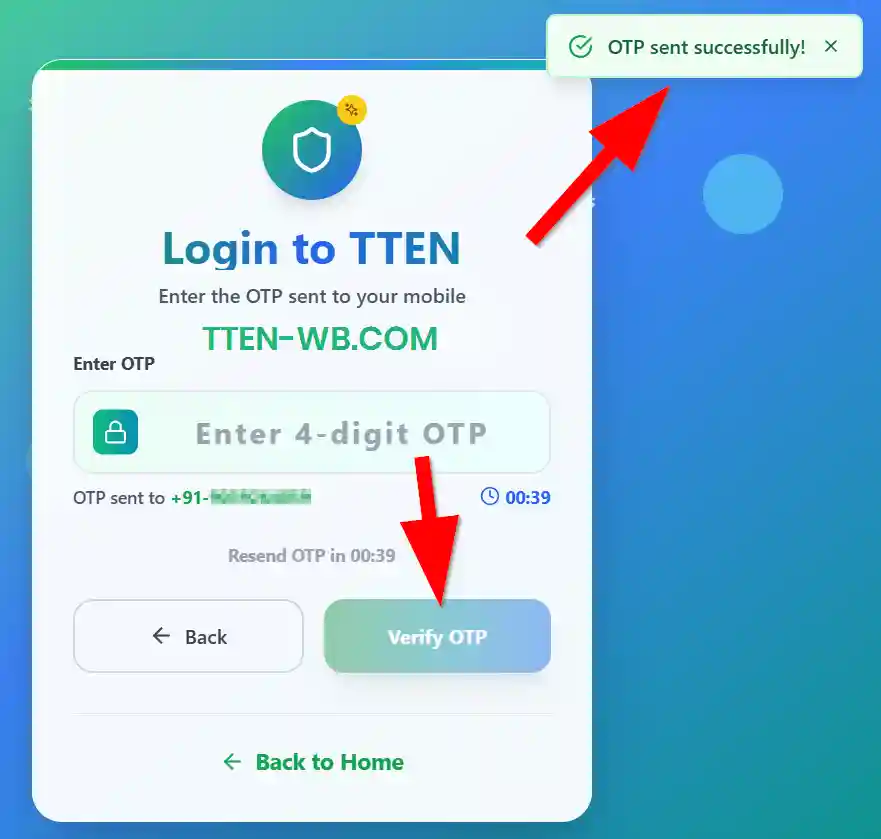
After entering the mobile number, click on the "Send OTP" button. After receiving the OTP, enter the OTP and click the "Verify OTP" button.
My Application Dashboard:
After successfully logging in, you are in my application dashboard and see the entire application list below. Under the application status option, you can see the current status of the application.
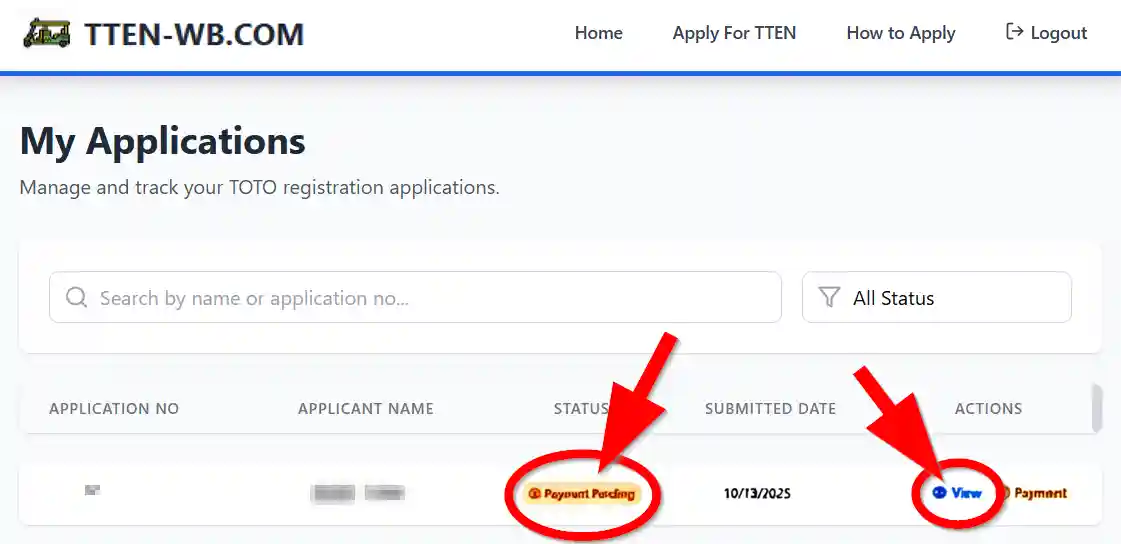
Under the action section there was an option named "View"; click on it to check the complete detail of the application.
Also, you can filter the application status according to status detail. Here are status options that can track the application:
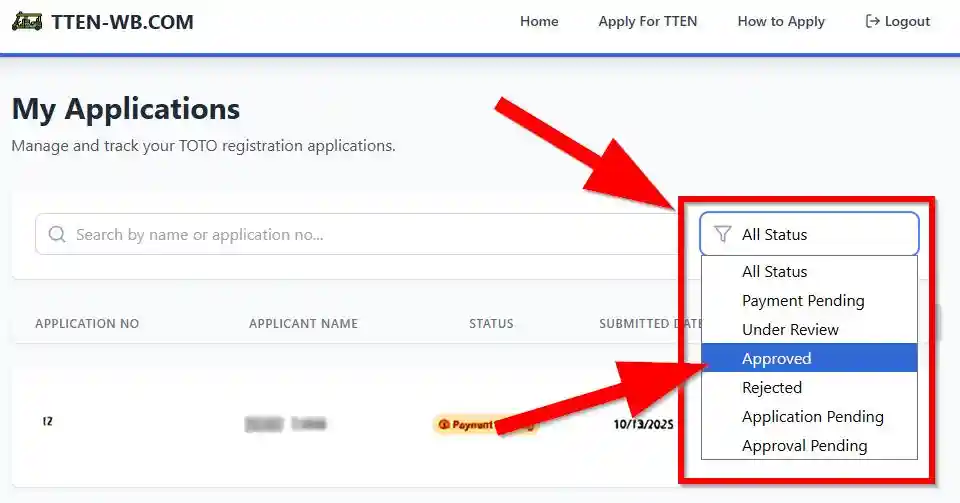
- Payment Pending
- Under Review
- Approved
- Rejected
- Application Pending
- Approval Pending
Using these options, you can track your TOTO registration application for your home without visiting anywhere.